From "Start" Menu
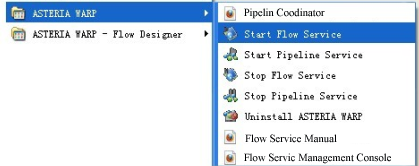
The system resource that windows users can access to is decided by their authorizations. Firsly, select "start Flow service" from "Start" menu as below.
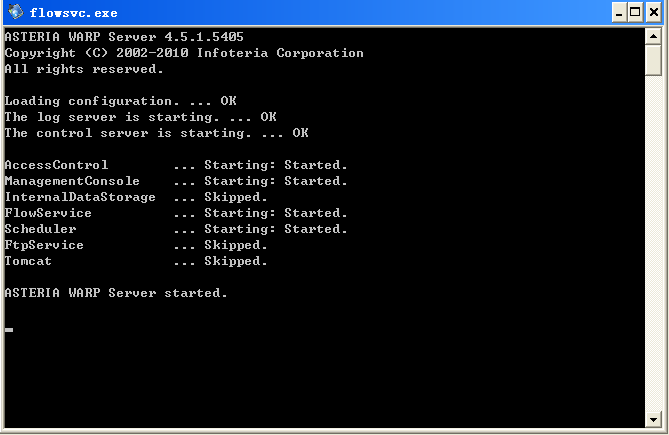
If the console is up and it shows image as below, it means that Flow service has started.
If the console isn't up, it's possible that the licence file wasn't put in [INSTALL_DIR]/license folder. Please confirm that whether [INSTALL_DIR]/flow/log/asteria.log file is existing or not.
In the same way, user can stop service by selecting "stop Flow service" from "Start" menu. System begins to stop Flow service when the window is up as below. When the system finishes stopping the service, the two windows will be closed automatically.
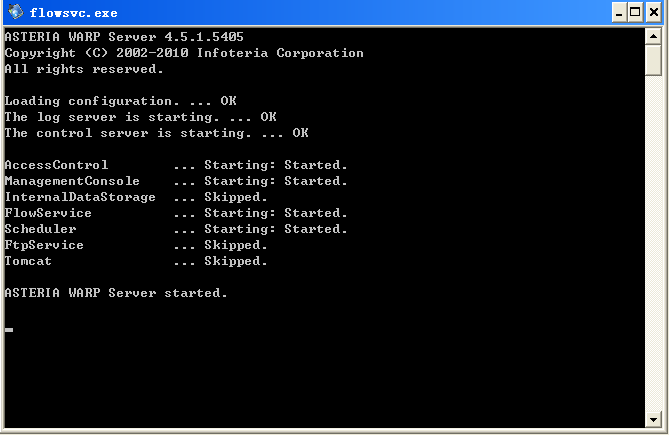
Attention: You will stop the service in force by clicking "×"button in the upper-right corner of the console.