External Variable Set
External variable set is a location for collecting the variable set shared by multiple Flows and projects. By collecting constants, request variables, session variables, application variables, it's managed in file. An external variable set is created in the user's home directory as a file. The file is called external variable set file, and its extension is ".xvar".
To define constant, request variable, session variable, application variable, you should create an external variable set and save it firstly. About the steps, please refer to "The Flow Designer" > "External variable set".
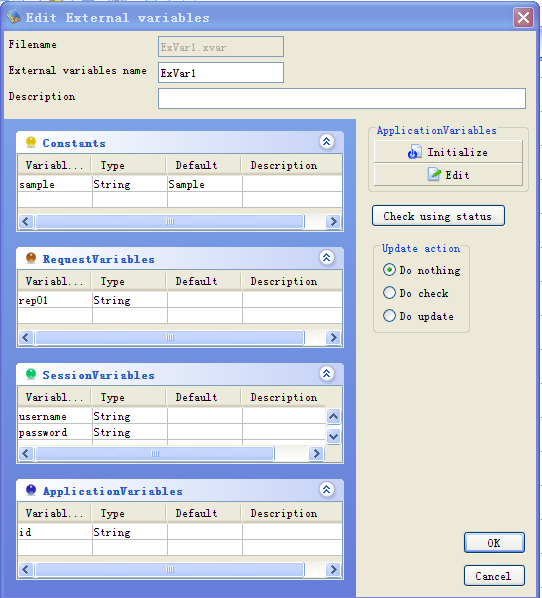
If the defined constant, request varibale, session variable, application variable is used in a Flow, you should declare the defined external variable set. To declare it in the Flow, you can drag the external variable set's item from the tree pane, and drop it at any place in the Flow Window. Having dropped it, the external variable set object will be configured in the Flow Window as an icon. By clicking the icon, the information such as file path will be displayed in the inspector.
Notice
- When an external variable set has been changed, you should open the project that use it and save the project.
- The "session" property value of the Flow that declared the external variable set that defined session variable will be changed to "Keep".
Search external variable set
In the Flow Designer, you can search the Flow referring to the external variable set or the Flow referring to kinds of variables. More information, please refer to the "The Flow Designer" > "Search function" > "Search external variable set".