From Start Menu
Start from Windows start menu
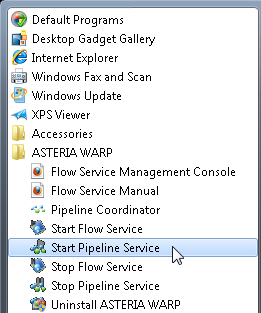
Pipeline service accesses various system resources based on the authority of Windows login user. First, select"Pipeline service start"from the start menu as the following figures.
Started Console, the following screen will dispayed, which means the pipeline service has completed, .
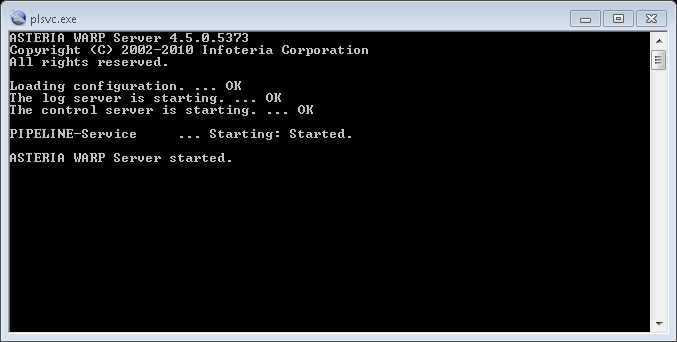
If Console displays but disappears at once, perhaps there is no license file(license.txt) under [INSTALL_DIR]/license folder,or keycode described in license files is invalid, please confirm whether output error in file [INSTALL_DIR]/pipeline/log/pipeline.log .
Stop from Windows start menu
Select"Pipeline service stop"from start menu to stop service. As the following figures,window is opened and pipeline service stop is started. When service is stopped completely, two windows are closed automatically.
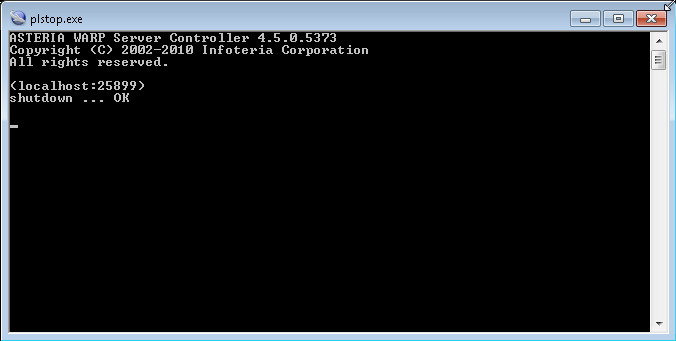
Using"×"on the right top of the console will force to stop process, please pay attention to it.