Add Pipeline
Add pipeline according to the following steps.
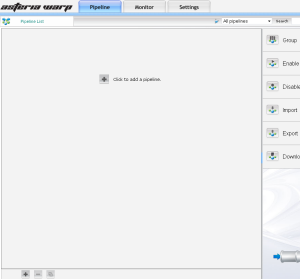
Step 1
Click add  button under pipeline list to display sensor palette.
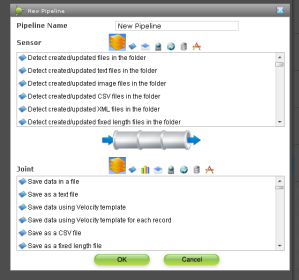
Step 2
Input pipeline name and select sensor action. Action list of each group is displayed if click group icon when select action.
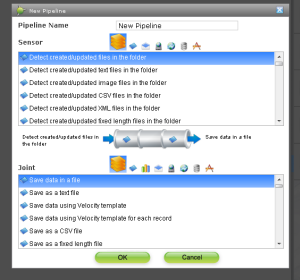
Step 3
Then select Joint action. The pipeline only of the sensor action can be added without selecting Joint action.
After the action is selected, click "OK".
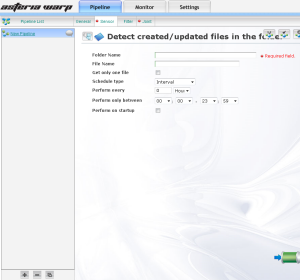
Step 4
A new pipeline is added, and the sensor setting screen is displayed.