API Settings
You can do API settings.
To issue API key, select"Enable"in"API settings"item and click"Update"button.
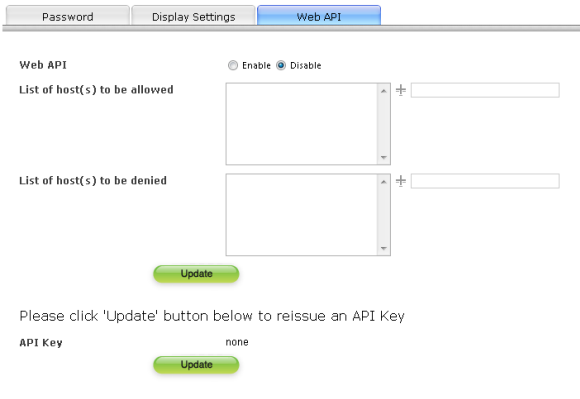
About setting items
| API settings | When you selected"Enable", you can use API. Otherwise if"Disable"is selected, the API can not be used. |
|---|---|
| List of hosts allowed |
Set the list of hosts which can use API. To add, input address into the right field and then click  . To delete, click . To delete, click  on the left side of the address in the list. on the left side of the address in the list.
|
| List of hosts denied |
Set the list of hosts which cannot use API. To add, input address into the right field and then click . To delete, click on the left side of the address in the list.
|
| API key | Display the required key when using API. If API key has not been issued,"none"will be shown. To re-issue the API key, click the"Update"button. |