User Directory Settings
Set the user directory.
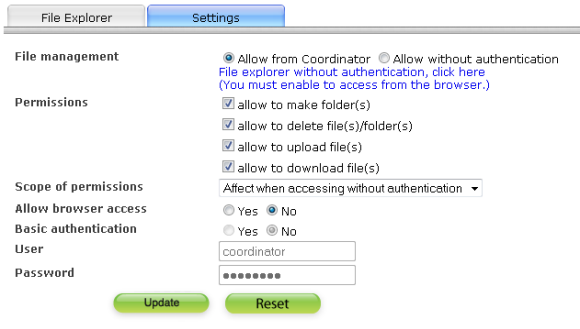
Operation menu
| File operation page settings |
Edit is enabled only in coordinator. : The file can be edited only in coordinator. Edit without login. : Access URL ofhttp://[host]:[port]/public/filebrowse ,files under [DATA_DIR]/pipeline/home/pipeline/_fileroot/public_html/htdocs/ can be operated without login. |
|---|---|
| Create directory is valid | Set whether to enable creating directoies on the screen where operate files. |
| Delete directory is valid | Set whether to enable deleting directoies and files on the screen where operate files. |
| Upload file is valid | Set whether to enable uploading files on the screen where operate files. |
| Download file is valid | Set whether to enable downloading files on the screen where operate files. |
| File operation settings valid range | "Set files operation without login valid" Only for screen of "Both" Valid of invalid setting of the file operation is reflected in the edit screen without login and in coordinator. |
| Access setting of browser |
When the item is valid,files under[DATA_DIR]/pipeline/home/pipeline/_fileroot/public_html/htdocs/are opened to the public as Web contents. Please see URL of htdocshttp://[host]:[port]/public/. |
| Basic authentication | When access with browser, set whether to make Basic authentication. |
| User name | Input user name of Basic authentication. |
| Password | Input password of Basic authentication. |