System Mail
Sending Mail can be set when the error occurs.
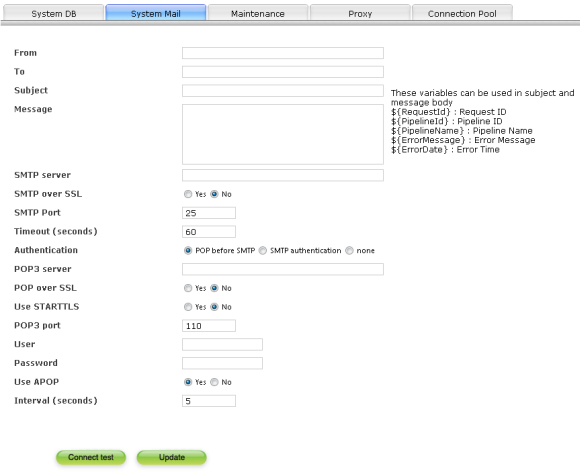
About related items
| Error mail sender | Specify the mail address input in sender(From) column of mail address to send. |
|---|---|
| Error mail receiver | Specify the mail receiver address of mail to inform that the error has occurred. |
| Error mail subject | Specify subject (Subject) of the mail to send. |
| Error mail text | Specify text of the mail to send. |
| Host name | Input the address of SMTP server used for sending Mail. |
| Use SMTP over SSL | Select whether to use SMTP over SSL to encrypt the contents of communication. Default is invalid. |
| Use STARTTLS | Select whether to use the STARTTLS command when connect with SMTP over SSL. Default is invalid. |
| Port | Input listener port number of SMTP server used for sending. Default is 25. |
| Authentication | When SMTP server sends a mail please set POP3 before SMTP valid if it is necessary. |
| POP3 server name | Specify the address of the POP3 server to login in before SMTP server sends a mail. |
| Use POP over SSL | Select whether to use POP over SSL to encrypt the contents of communication. Default is invalid. |
| Use STRARTTLS | Select whether to use the STARTTLS command when connect with POP over SSL. Default is invalid. |
| POP3 port | Specify the port number of the POP3 server. Default is 110. |
| User | Specify the user name to login the POP3 server. |
| Password | Specify the password to login the POP3 server. |
| APOP | Select "true" when use APOP. |
| Interval (second) | Set time from POP3 server confirmatoin to SMTP server connection and sending mail. Default is 5 seconds. |
| Timeout (second) | Set the timeout time (second) when there is no response from the POP3 server. Default is 60. |